Secure Email Program
Genisys Credit Union Secure Email User Awareness Program
The privacy of business communication is important to Genisys Credit Union and we want to ensure your information stays private.
To protect consumer data and comply with industry best practice standards, email communications you receive from Genisys containing personally identifiable financial information are protected using Virtru Secure Share encryption services. Virtru's easy-to-use protection makes it seamless for you to receive, read, and safely reply to all of our encrypted communications without needing to create or remember another password.
Secure messaging ensures against credit card fraud and consumer identity theft, providing an effective way to safely conduct financial business.
Retrieving a Secure Email Message
When a Genisys representative sends you an encrypted email, you will receive a notification in your standard inbox indicating you have a secure message.
Open the Notification Email
Step 1
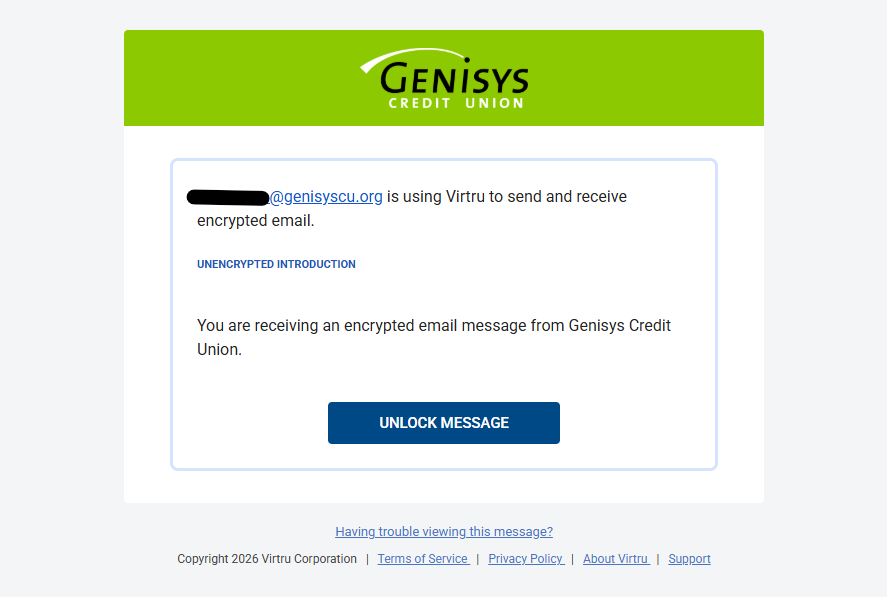
Look for an email from Genisys Credit Union with a subject line indicating a secure message has been shared. Inside, click the prominent Unlock Message (or "View Secure Message") button.
Select Your Identity
Step 2
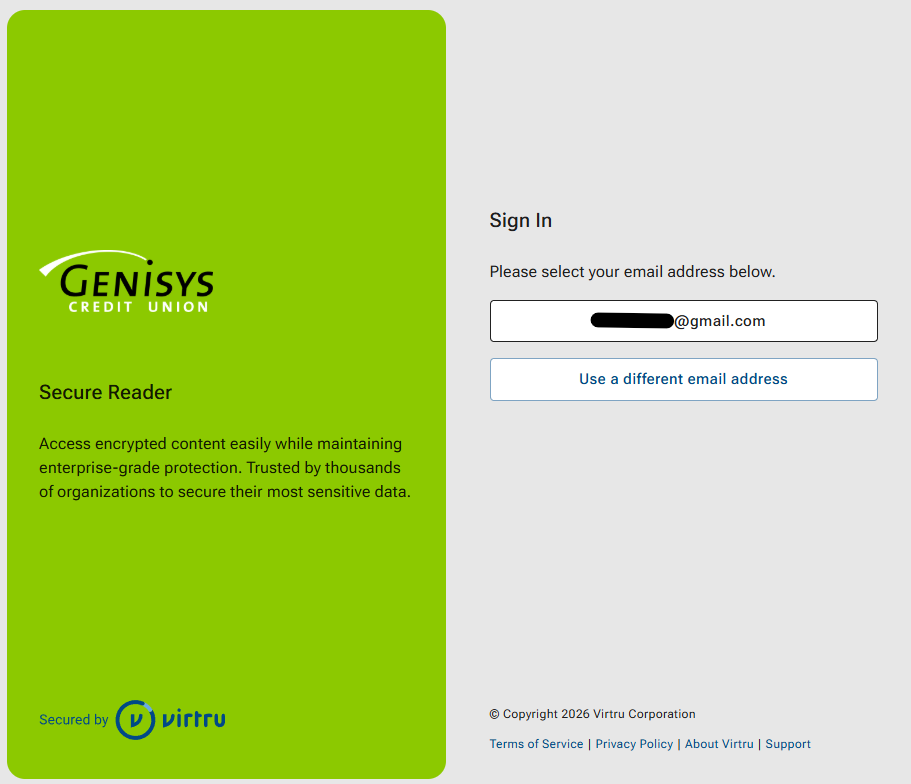
A new tab will open in your web browser. You will see your email address listed. Click on your email address to initiate the quick identity verification process.
Choose Your Verification Method
Step 3
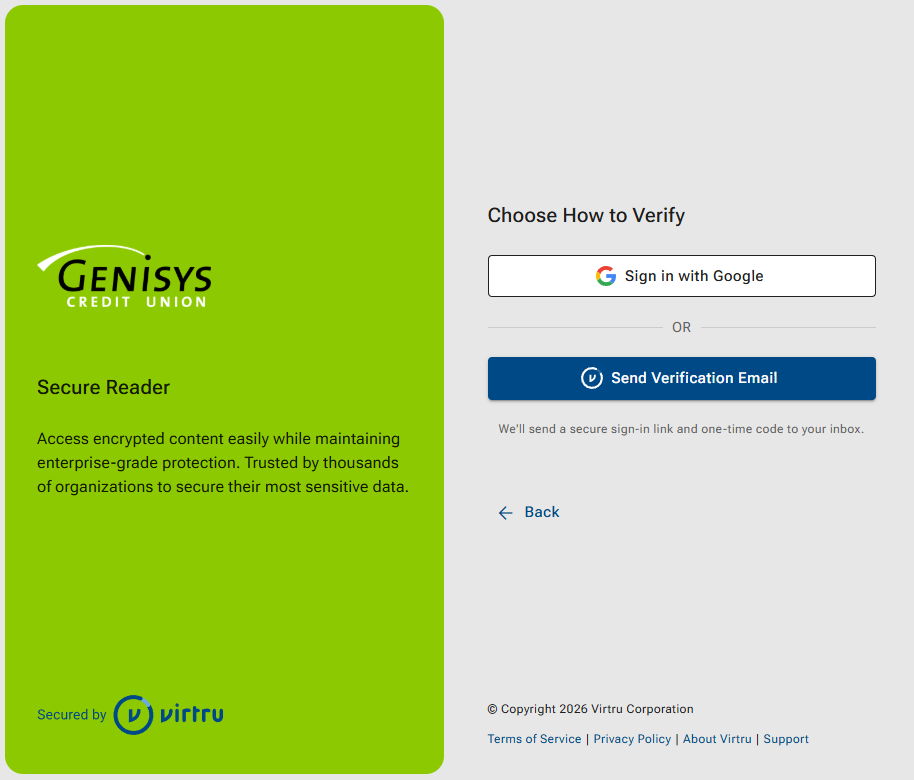
You can choose to log in directly via your existing provider (like Google or Microsoft) if available, or choose "Login with a one-time verification code."
Enter Your One-Time Code
Step 4
If you chose the verification code option, check your email inbox for a brief message from Virtru containing a 6-digit code. Copy that code, paste it into the browser window, and click Verify.
If you select "Sign in with Google" you will be taken to Google's login page to click on your account and then the message unlocks.
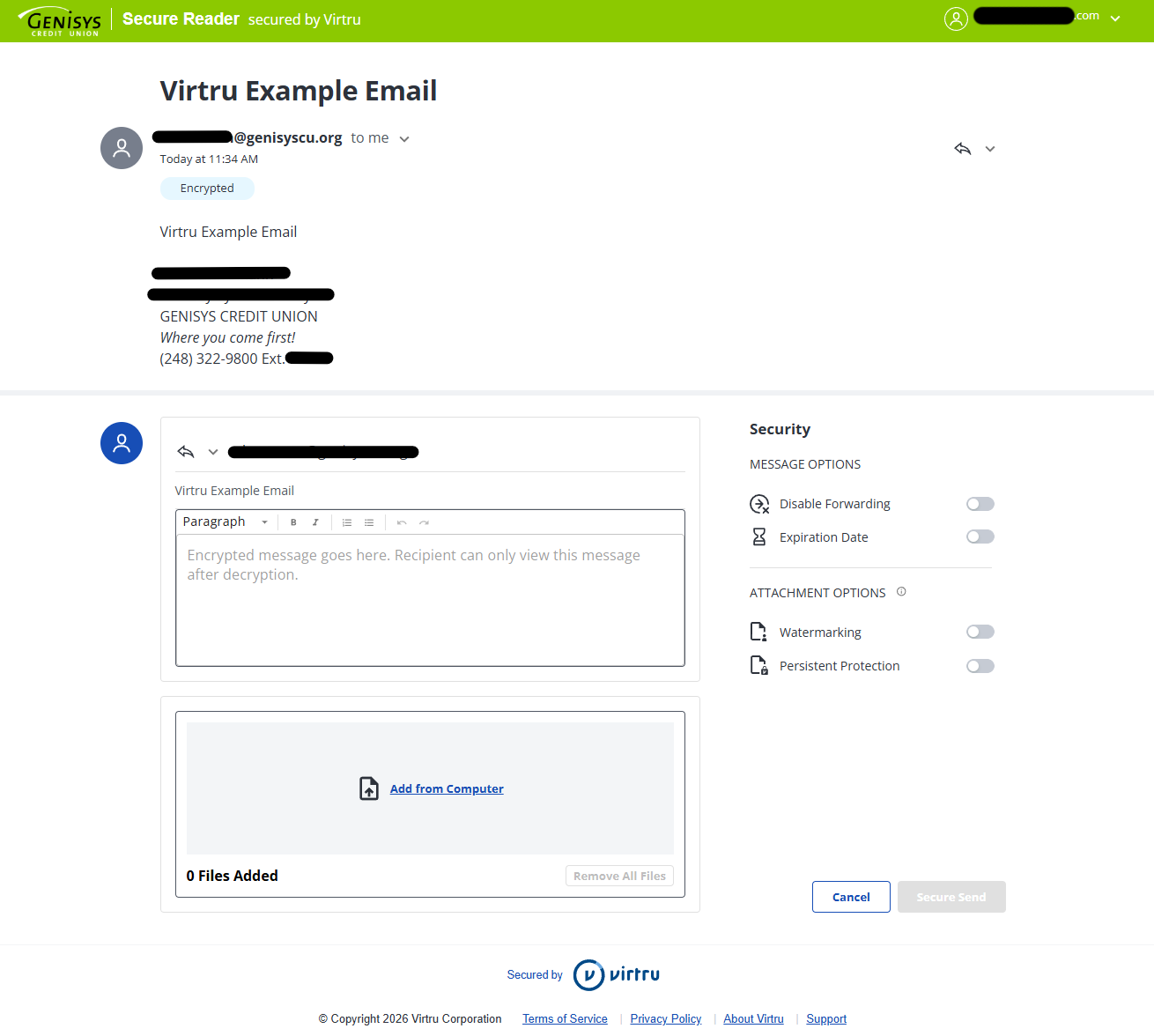
Once verified, your secure message and any encrypted attachments will instantly display right in your browser window.
Go to main navigation